> ## Documentation Index
> Fetch the complete documentation index at: https://docs.formo.so/llms.txt
> Use this file to discover all available pages before exploring further.
# Activity feed
> View a real-time event stream of everything users do on your app, from page views to onchain transactions.
The Activity page shows a real-time view into what users are doing on your app. You can also track [custom events](/features/product-analytics/custom-events) and [contract events](/features/product-analytics/contract-events).
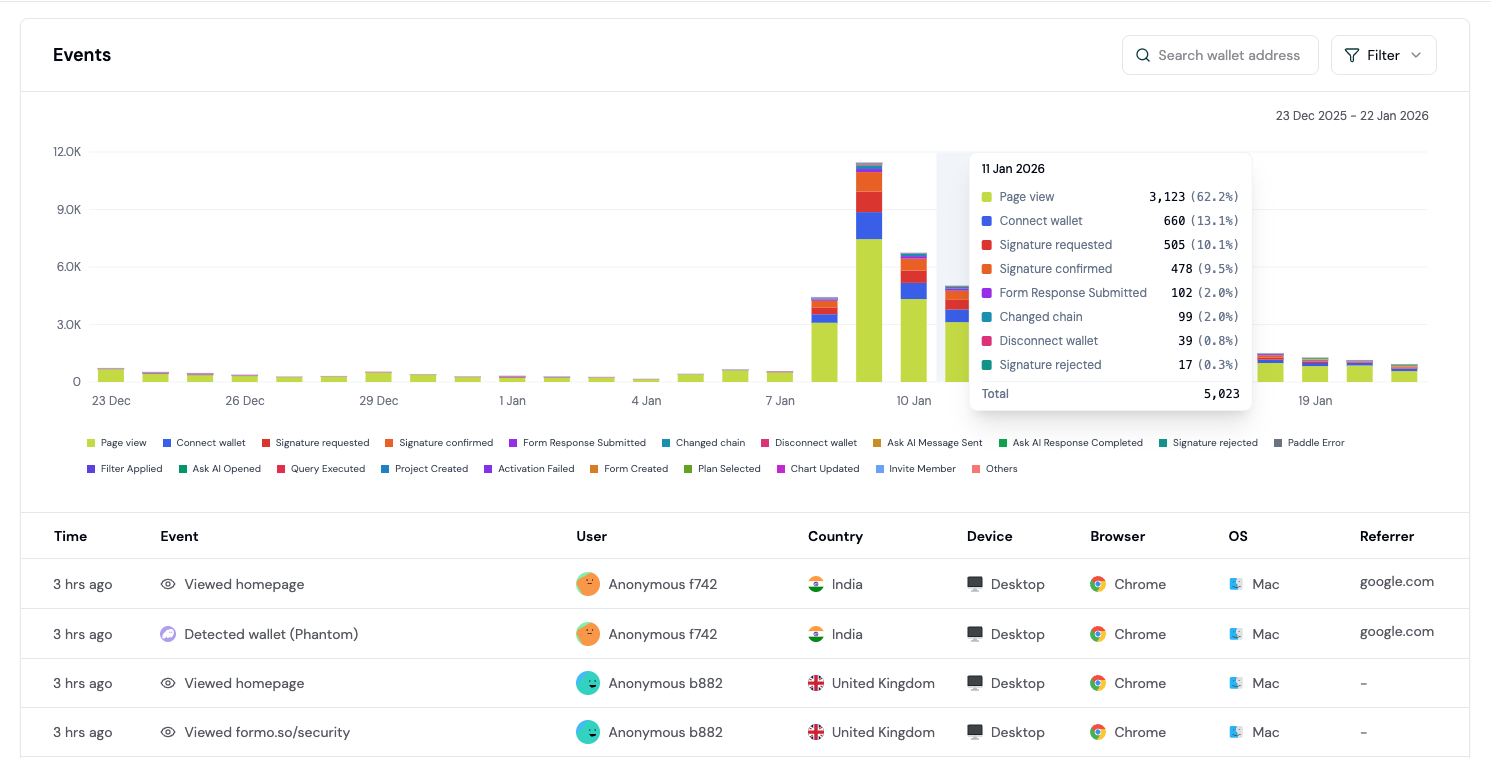 Every event includes full properties and is captured without sampling.
## Filter by event properties
Filter the activity feed by event properties to focus on specific user actions or behaviors.
Every event includes full properties and is captured without sampling.
## Filter by event properties
Filter the activity feed by event properties to focus on specific user actions or behaviors.
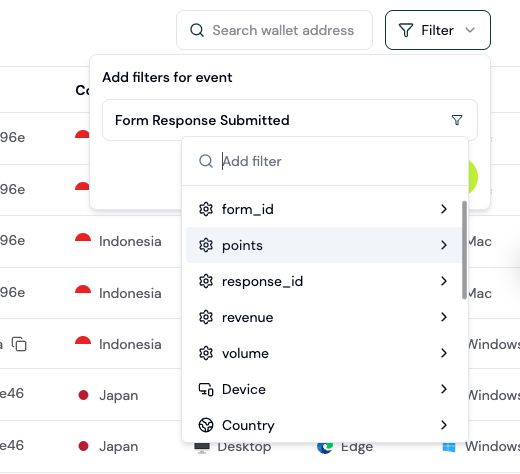 Use filters to narrow events by any property to investigate a specific user journey or troubleshoot an issue.
***
## How to use the activity feed
This section covers using the Activity Feed for investigation and user research.
### Step 1: Open the Activity Feed
Open [app.formo.so](https://app.formo.so).
You'll see a chronological stream of all events on your app.
### Step 2: Understand event types
Each event has a structured schema and type based on the [event specs](/data/events/overview):
| Event Type | What it captures |
| - | - |
| `page` | Page view with URL path |
| `connect` | Wallet connection |
| `disconnect` | Wallet disconnection |
| `chain` | Chain switches |
| `signature` | Message signing |
| `transaction` | Onchain transaction |
| `track` | Custom events |
| `identify` | User identification |
| `detect` | Wallet provider detection |
| `decoded_log` | Smart contract events |
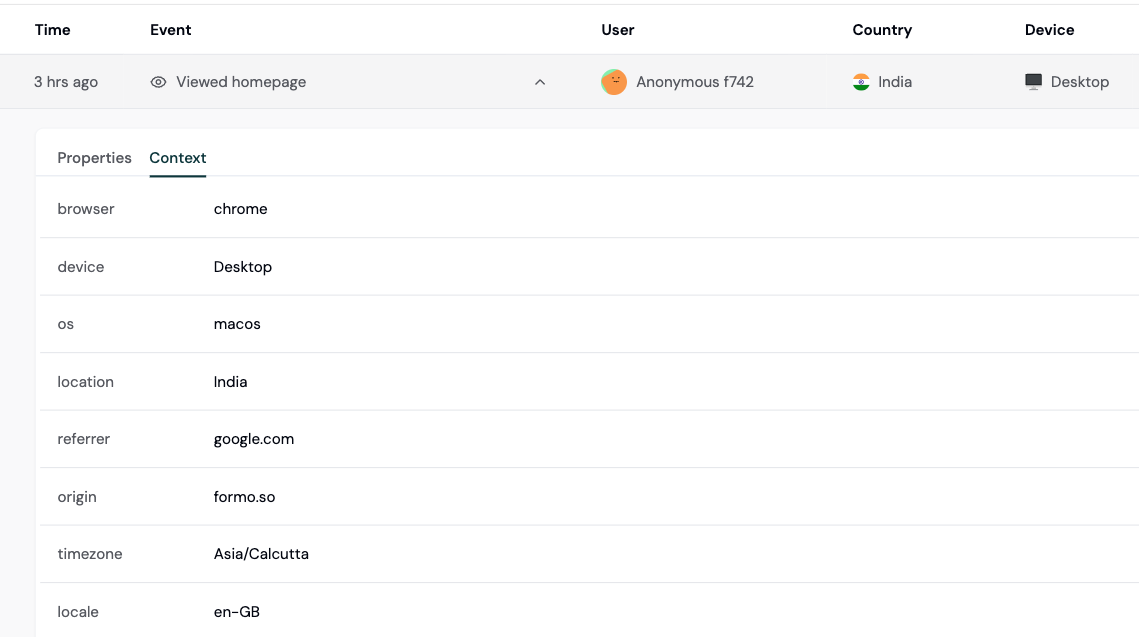
Click any event to expand and see all properties.
Use filters to narrow events by any property to investigate a specific user journey or troubleshoot an issue.
***
## How to use the activity feed
This section covers using the Activity Feed for investigation and user research.
### Step 1: Open the Activity Feed
Open [app.formo.so](https://app.formo.so).
You'll see a chronological stream of all events on your app.
### Step 2: Understand event types
Each event has a structured schema and type based on the [event specs](/data/events/overview):
| Event Type | What it captures |
| - | - |
| `page` | Page view with URL path |
| `connect` | Wallet connection |
| `disconnect` | Wallet disconnection |
| `chain` | Chain switches |
| `signature` | Message signing |
| `transaction` | Onchain transaction |
| `track` | Custom events |
| `identify` | User identification |
| `detect` | Wallet provider detection |
| `decoded_log` | Smart contract events |
Click any event to expand and see all properties.
 ### Step 3: Filter to find specific events
Use filters to narrow down the feed:
**Common filter combinations:**
| Goal | Filters |
| - | - |
| Connects from Twitter | type = connect, referrer contains twitter |
| Visitors from a marketing campaign | utm\_source contains newsletter |
| Events from mobile devices | device = mobile |
| Events on a specific page | page = /swap |
| High-volume wallets | volume > 1000 |
### Step 4: Investigate a user's journey
To see everything a specific user did:
See [Wallet Profiles](/features/wallet-intelligence/wallet-profiles) for more details.
### Step 3: Filter to find specific events
Use filters to narrow down the feed:
**Common filter combinations:**
| Goal | Filters |
| - | - |
| Connects from Twitter | type = connect, referrer contains twitter |
| Visitors from a marketing campaign | utm\_source contains newsletter |
| Events from mobile devices | device = mobile |
| Events on a specific page | page = /swap |
| High-volume wallets | volume > 1000 |
### Step 4: Investigate a user's journey
To see everything a specific user did:
See [Wallet Profiles](/features/wallet-intelligence/wallet-profiles) for more details.
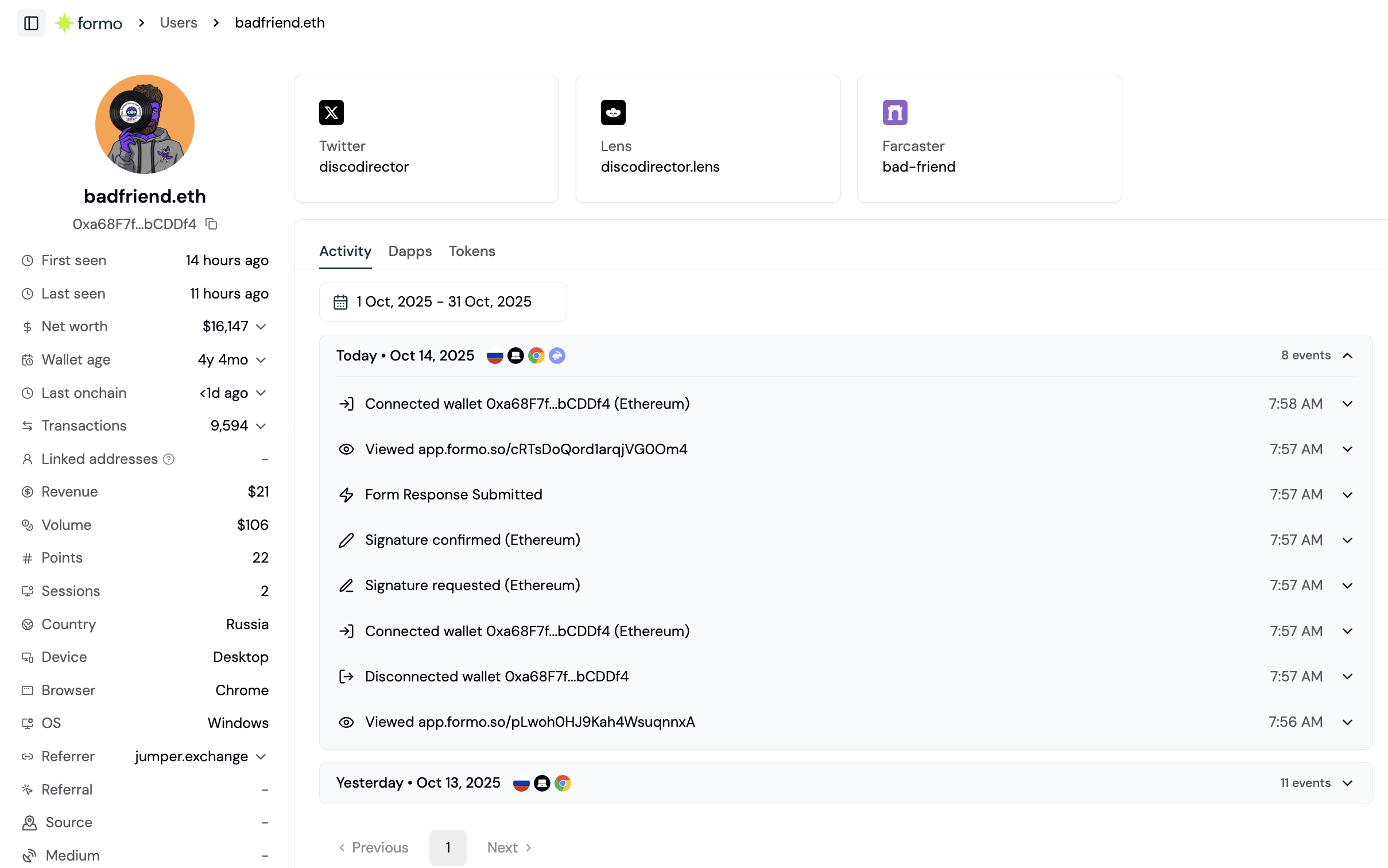 Or search the Activity Feed directly:
### Step 5: Investigate issues
When users report problems, use the Activity Feed to investigate:
**Investigating a failed transaction:**
**Investigating a drop-off:**
See [Funnels](/features/product-analytics/funnels) for more details.
**Investigating a flow issue:**
See [Flows](/features/product-analytics/flows) for more details.
### Common investigation patterns
**"Why are users bouncing from our swap page?"**
**"Which transactions are failing?"**
**"What do our best users do differently?"**
**"Is our new feature being used?"**
This documentation is built and hosted on [Mintlify](https://mintlify.com), a developer documentation platform.
Or search the Activity Feed directly:
### Step 5: Investigate issues
When users report problems, use the Activity Feed to investigate:
**Investigating a failed transaction:**
**Investigating a drop-off:**
See [Funnels](/features/product-analytics/funnels) for more details.
**Investigating a flow issue:**
See [Flows](/features/product-analytics/flows) for more details.
### Common investigation patterns
**"Why are users bouncing from our swap page?"**
**"Which transactions are failing?"**
**"What do our best users do differently?"**
**"Is our new feature being used?"**
This documentation is built and hosted on [Mintlify](https://mintlify.com), a developer documentation platform.